
Hendry County Jail Mugshots Overview
The Hendry County Sheriff's Office shows a booking photo on each card of its public inmate roster. The image is a single front-facing booking photo, displayed beside the person's name. The photos are served through the VINELink imaging system, but the roster itself sits on the sheriff's own site, so the official source for a Hendry County jail mugshot is the sheriff inmate search, not a third-party page.
There is no separate Hendry County mugshot gallery or daily booking-photo report in the official sources reviewed. The roster also did not state how long a photo stays online after release, and it did not display past booking photos in the view reviewed. In practice that means the photo is tied to current custody, and it can drop off when the person leaves the roster.
Where to Find Hendry County Booking Photos
The roster is the first and best place to look. The Hendry County Sheriff Inmate Search shows current cards with photos. If the person is not on the roster, the fallback is a public-records request to the sheriff, since a booking photo is generally a public record in Florida unless an exemption applies.
- Open the sheriff inmate search and let the roster cards load.
- Browse or page to the person's card, listed by last name first.
- Open the card to view the booking photo and the basic detail page.
- If no photo is online, file a public-records request with the sheriff's records unit for the booking photo.
The sheriff's public-records page lays out where that request goes, and it is pictured below at the Hendry County public records request page.
The same page names the records contact, Angelica Crumb, which is the official route when a booking photo is not visible on the live roster.
VINELink Alerts vs. Booking Photos
Each roster card carries a Notify Me of Status Change button that links to VINELink. It is worth being clear about what that button does. VINELink is a notification service. It tells you when a person's custody status changes, such as a transfer or a release. It does not hand over a copy of the booking photo or the booking record.
So the photo and the alert are two separate things. Use the roster card to view the current booking photo, and use the VINELink link only to register for status updates. If you need the photo itself for a record, a public-records request to the sheriff is the route, not the alert tool.
Recent Bookings and Daily Reports
Some counties post a recent-bookings gallery or a daily booking report apart from the main roster. Hendry County does not appear to publish one in the official sources reviewed. The single public source for a current booking photo is the sheriff's inmate roster. No app-only mugshot lookup was confirmed either, beyond the same Inmate Search the website and app both link to.
Because there is one official source, the search stays simple. Check the roster for a current inmate, and turn to a records request for anything the roster does not show.
What a Hendry County Booking Photo Shows
The roster card pairs the photo with only a little text. In the public static view reviewed, the card showed the booking photo, the name, a link to a detail page, and a status-alert button. Demographic lines, booking dates, and charges were not visible in that view, so the table is honest about which fields appear with the photo and which do not.
| Field | What It Shows |
|---|---|
| Booking photo | A single front-facing photo on the public card; no multiple angles in the view reviewed |
| Name | Capital letters, last name first |
| Demographics | Not shown on the public card in the view reviewed |
| Booking date | Not shown in the public static view |
| Charges | Not shown in the public static view |
A sample roster detail page shows how the photo and name sit together, reached from a Read More button at a sheriff roster detail page.
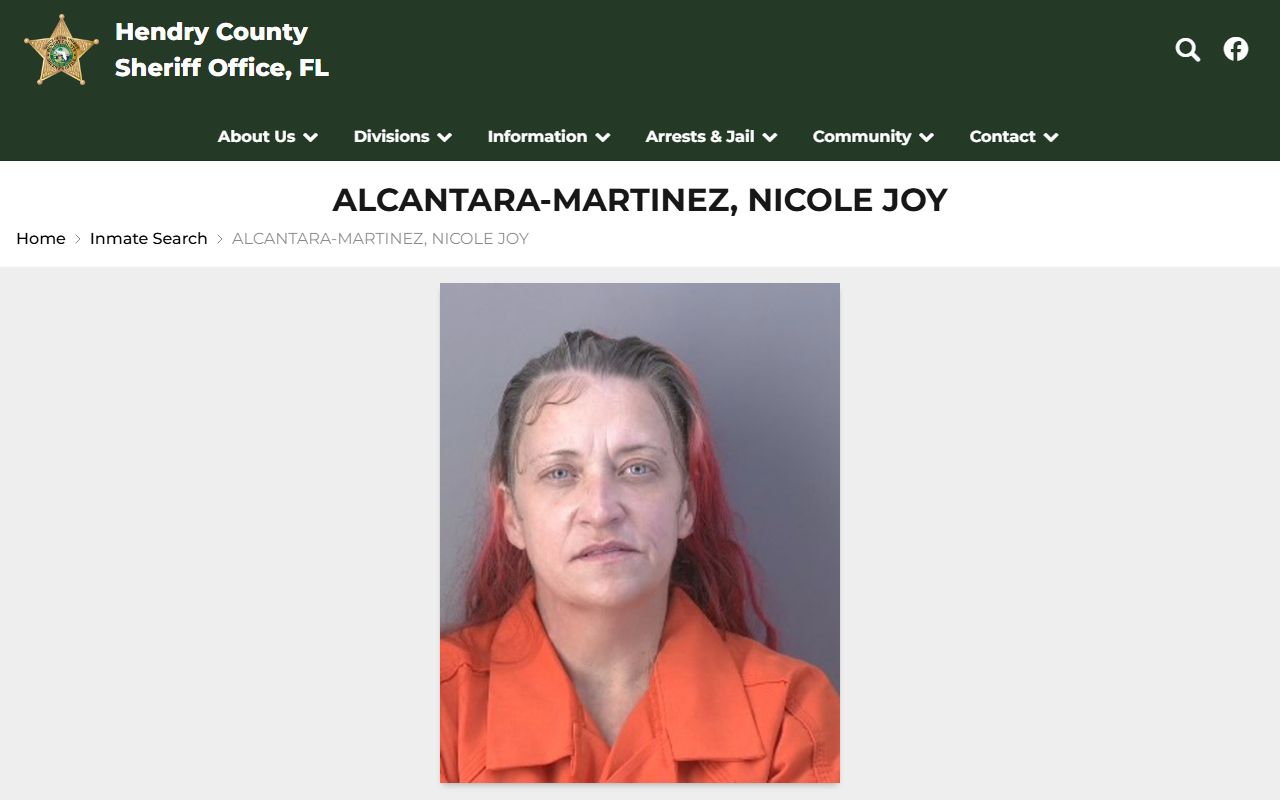
Because charge and bond fields are not in the public view, the photo and name are often all the roster confirms, and deeper detail needs a records request or the court file.
Are Hendry County Jail Mugshots Public Record?
In Florida, the plain answer is usually yes. Booking photographs are generally public records under the state's Public Records Act, open for inspection unless a specific exemption applies. Some material is shielded, though, such as active criminal-investigative information, certain victim data, juvenile records, and information protected under Marsy's Law. This review did not find a Hendry-specific rule that automatically pulls a booking photo after a dismissal or release.
Key Statutes:
Florida Statutes Chapter 119 - the Public Records Act; booking photos and most jail records are open to the public unless an exemption applies.
Florida Statutes Chapter 943 - criminal justice information; governs how arrest and criminal-history data are handled statewide.
Note: section 119.071 holds the exemptions that can keep investigative, victim, or juvenile details out of an otherwise public booking record.
How Long a Mugshot Stays on the Roster
The honest answer is that the official pages do not say. The roster did not publish a retention window, and it did not show historical photos in the view reviewed. The practical pattern is that a booking photo stays while the person is in current custody and can drop from the public roster once they are released or moved. That is different from a permanent archive, so a photo seen one week may be gone the next. For a photo that is no longer online, the records-request route is the way to ask for it.
What is and isn't public: The roster shows a current inmate's name and a single booking photo. Charges, bond, housing, and full booking detail were not in the public static view and may require a records request. Investigative, victim, and juvenile information can be withheld even when the rest of a record is public.
How to Request a Hendry County Booking Photo
When a booking photo is not on the live roster, a public-records request is the official path. Send it to the sheriff's records unit, reachable through Angelica Crumb at 863-674-5615 or records@hendrysheriff.org, or use the public-records request page. Florida's records law supports access to nonexempt records, though exemptions can trim what is released, and the office sets any fee and turnaround. Put the person's full name and any booking date you have in the request, since that helps staff find the right record. For a court file rather than a jail photo, the clerk's records search is the better tool.
Mugshot Removal and Sealed Records
Clearing a booking photo is a legal process, not a payment to a website. Florida lets eligible people seal or expunge a record through the courts, and that court action is what limits public access to the underlying record. This site does not name or endorse commercial mugshot-publishing or pay-to-remove services, because those are not the official route. The records-clearing path runs through the courts, and the steps are explained on the page about sealing and expunging an arrest record.
Commercial Mugshot Sites and the Official Route
Booking photos sometimes get copied onto private websites that charge a fee to take them down. Those sites are not official, and they are not the answer here. This site does not link to them or suggest paying for removal, because a payment does nothing to the public record underneath the copy.
The official route avoids that trap. For the photo itself, ask the sheriff's records unit. To limit public access to the record behind the photo, use Florida's sealing or expunction process through the courts. That court action, not a payment to a private site, is what changes what stays public.
Federal and State Booking Photos
Federal custody works differently from the county jail. The Bureau of Prisons and the U.S. Marshals Service generally do not publish booking mugshots through a public roster like the sheriff's, so a person in federal custody may have no public photo even if a local jail once showed one. State prisoners are another case: the Florida Department of Corrections Offender Search can include an inmate photo, but that is a state prison image, not a county booking photo. Matching the photo to the right system avoids a lot of confusion.